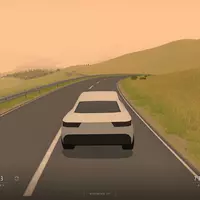
SlowRoads.io is a relaxing 3D driving game created by Anslo. Instead of racing toward a finish line, you can follow an endless road through procedurally generated scenery and drive at your own pace. The player on this page loads the current web game from slowroads.io, so its available vehicles, environments, and settings may continue to evolve.
Start a quiet journey, increase the speed when the road opens up, or leave the steering to autodrive and watch the landscape unfold. Slow Roads has no fixed route to complete. The road and surrounding terrain are generated as you travel, giving every drive a different sequence of hills, turns, and views.
Use the in-game menus to choose an available vehicle and adjust the environment. Depending on the current version, the settings can include road style, season, weather, time of day, camera position, graphics quality, and driving assists. Lowering the visual quality can help when the game runs slowly on a less powerful device.
The game also supports additional control and display options. Open the controls menu inside Slow Roads to see the current bindings or adjust them for your device.
Slow Roads is built around the journey rather than a score. Experiment with different scenery, lighting, weather, road layouts, and vehicle settings to create a calm drive or a more difficult handling challenge. You can stay on the road, explore the surrounding terrain, or use autodrive when you simply want to watch the scenery.
The current web version includes touchscreen support, but performance depends on the phone, browser, graphics settings, and available memory. If the game feels slow, close unused tabs and reduce its graphics quality. A desktop browser, keyboard, or controller may still provide more precise driving controls.
The official web game moved to the 2.x series with a major engine rebuild in January 2025. This page loads the current version from slowroads.io rather than a separate Kevin Games sequel. Future updates can change features without requiring a new URL on Kevin Games.
Explore more browser titles in Driving Games, Car Games, Simulation Games, and Racing Games.
SlowRoads.io is one of the best Car Game you can play on Kevin Games.
This game works perfectly in modern browsers and requires no installation.
SlowRoads.io has been played by thousands of gamers who rated it 4.0 / 5 with 528 votes.
Did you enjoy this game? Then give other Car Games, Racing Games, Driving Games, Simulation Games, Road games a try.
SlowRoads.io is a relaxing browser driving game created by Anslo. It generates an endless road and surrounding landscape while you drive, with no fixed finish line.
Use WASD or the arrow keys to drive. Shift activates the speed boost, Space applies the handbrake, R returns the vehicle to the road, C changes the camera, and F toggles autodrive.
The current web version supports touch controls, but performance depends on the device, browser, memory, and graphics settings.
The current Slow Roads web game is already part of the 2.x version series. Version 2.0 was a major rebuild of the same game rather than a separate Kevin Games sequel.
Slow Roads was created by the independent developer Anslo. The game began as a browser experiment in procedural landscapes and driving.
Close unused browser tabs, reduce the in-game graphics quality, and try a current version of Chrome, Edge, Firefox, or Safari. Performance depends on the device and browser.